Get the 7ju7 App on Your Phone
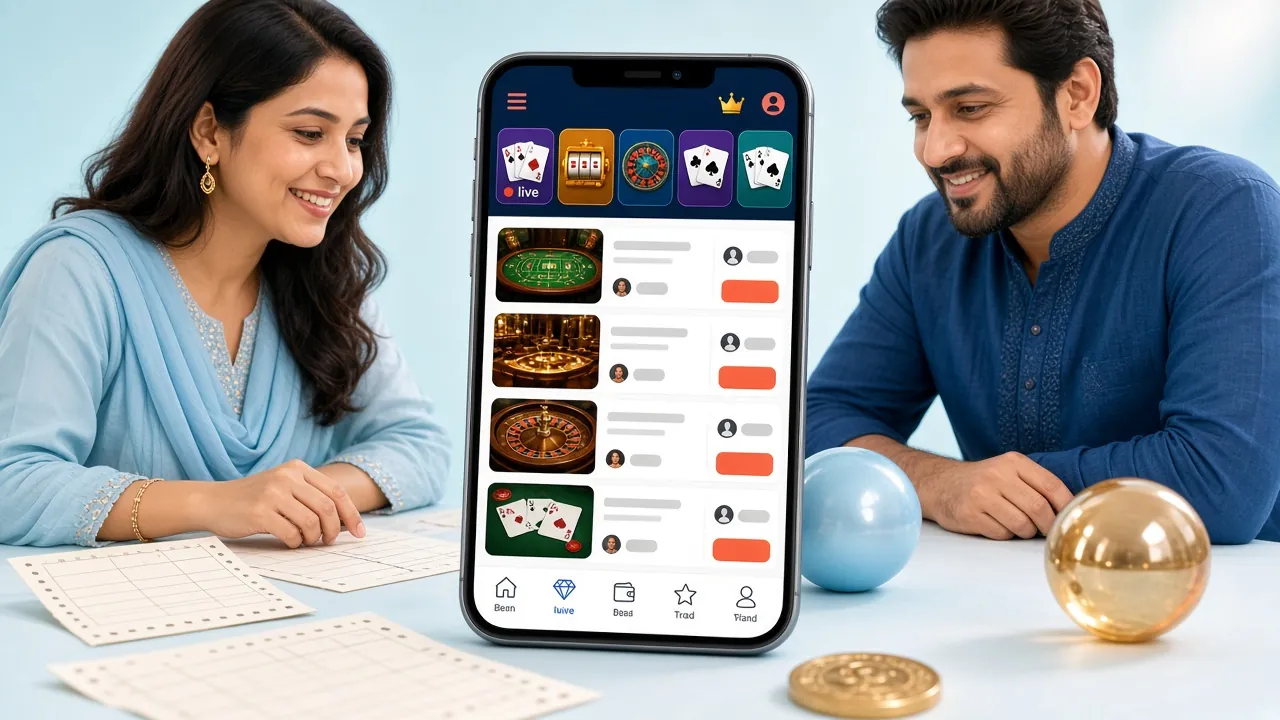
One APK file, 52 MB. Place cricket bets, spin slots, and deposit via bKash — all without opening a browser. Runs on most Android phones made since 2016.
File: 7ju7.apk · Size: 52 MB · Android: 7.0+ · Free
Scan to download
System Requirements & Version Info
Before you download, confirm your phone meets the minimum requirements below. Any mid-range Android phone released after 2016 will run the 7ju7 app without issues.
| Detail | Specification | Notes |
|---|---|---|
| App Version | 2.7.15 | Latest stable release |
| File Name | 7ju7.apk | Direct APK — no Play Store needed |
| File Size | 52 MB | Downloads in ~2 min on 4G |
| Minimum Android | Android 7.0 (Nougat) | Covers phones from 2016 onward |
| Last Updated | 3 November 2026 | Bug fixes + cricket live odds refresh |
| Price | Free | No hidden fees for installing |
| Languages | English / Bangla | Switch in Settings anytime |
| iOS Support | No native app | Use Safari browser → Add to Home Screen |
Already have an older version? The app shows an in-app update prompt when a new build is available. You can also re-download the latest APK from this page at any time.
App vs Browser – Side by Side
Both the 7ju7 app and the mobile browser version give you access to the full game library. But the app has a few concrete advantages worth knowing before you decide.
| Feature | 7ju7 App (APK) | Mobile Browser | Desktop Browser |
|---|---|---|---|
| Page Load Speed | Faster — cached assets | Medium | Medium |
| Push Notifications | Yes — match alerts & promos | No | No |
| bKash / Nagad Deposit | One-tap | Yes | Yes |
| Live Cricket Odds | Real-time refresh | Yes | Yes |
| Biometric Login | Fingerprint / face unlock | No | No |
| Offline Bet Slip Drafts | Saves locally | No | No |
| Game Library | All 4,900 games | All 4,900 games | All 4,900 games |
| Dark / Light Mode | Follows phone setting | Depends on browser | Depends on browser |
| Storage Used | 52 MB on device | Cache only (~10 MB) | Cache only |
| Install Required | Yes — one-time APK install | No install | No install |
In short: use the app if you bet on cricket from your phone daily. The browser is fine for occasional desktop use or if you share the phone with others.
Android APK Installation Steps
Installing an APK takes about two minutes. Android blocks unknown-source apps by default for security — you need to allow it once, then the install runs normally.
-
1
Allow Install from Unknown Sources
On your Android phone, open Settings → Apps (or Special App Access on some models) and find Install Unknown Apps. Select your browser (Chrome or any app you use to download) and toggle Allow from this source to ON. You only need to do this once. This setting does not affect other apps or lower your phone's general security.
-
2
Download the APK File
Tap the Download APK button on this page. Your browser will save 7ju7.apk (52 MB) to your Downloads folder. Wait for the progress bar to reach 100% — on a typical 4G connection this takes under two minutes. Do not close the browser tab while downloading, or the file may be incomplete.
-
3
Open the Downloaded File
Once the download finishes, a notification appears at the top of your screen. Tap Open in that notification, or go to your phone's Files / My Files app, navigate to Downloads, and tap 7ju7.apk. Android will show an installation screen listing the app name and permissions it requests.
-
4
Confirm and Install
Read the permissions list (internet access, storage, notifications). Tap Install. Android copies the files and shows a progress bar — usually finishes in under 20 seconds. Once complete, the screen shows "App installed." The 7ju7 icon appears on your home screen and app drawer automatically.
-
5
Log In or Register
Tap the 7ju7 icon to open the app. If you already have an account, tap Log In and enter your phone number and password — or use fingerprint unlock if your phone supports it. New player? Tap Register, fill in your mobile number and choose a password. The whole registration takes under two minutes. See our registration guide for a step-by-step walkthrough.
iPhone / iOS: Add to Home Screen
There is no native iOS app for 7ju7. iPhone and iPad users can pin the mobile website to their home screen — it behaves like an app, opens full-screen, and keeps you logged in.
-
1
Open Safari and go to 7ju7.ws. The site automatically loads the mobile layout. Make sure you are connected to Wi-Fi or mobile data.
-
2
Tap the Share button (the square with an arrow pointing up) in the Safari toolbar at the bottom of the screen.
-
3
Scroll down in the Share menu and tap Add to Home Screen. Edit the name to 7ju7 if you like, then tap Add in the top-right corner.
-
4
The 7ju7 icon now sits on your home screen. Tap it to open the site in a full-screen view without the Safari address bar. Log in and start playing.

Fortune Tiger
Habanero · Slots
RTP 97.3%
Crash Goal
Playtech · Crash
RTP 95.9%What You Can Do in the 7ju7 App
The 7ju7 app is not a stripped-down version. Every game and feature available on the full website is accessible from the app. Here is what players use it for most.
Cricket & Sports Betting
Bet on T20, ODI, BPL, IPL, and international football matches. Live in-play odds update in real time. Place a bet in under 30 seconds while watching the match. Push notifications alert you when odds move on events you have bookmarked. The cricket section is built specifically for Bangladesh fans — full BCB schedule coverage.
Live Casino Tables
Stream live dealer baccarat, roulette, and teen patti from Evolution and Ezugi studios in HD. Dealers speak English and handle Bangla-language chat. Minimum bets start at ৳5. The app keeps the video stream stable even on a 3G connection by auto-adjusting quality. Tap any table to see the seat count and current bet limits before you join.
Crash Games
Crash Goal, Monster Crash, and Crash Bonus from Playtech, Evolution, and Spribe run smoothly on Android. Set an auto-cashout multiplier before each round so you do not need to watch the screen constantly. All three games support ৳10 minimum bets. Crash rounds complete in 15–60 seconds, making them ideal for short sessions on a commute.
Slots (4,900+ Games)
Browse Fortune Tiger, Butterfly Blossom, Nine, Money Coming, Cocktail Nights, and thousands more from KA Gaming, Habanero, and Ezugi. Games load in the same tab — no redirects. Use the filter bar to sort by provider, RTP, or minimum bet. Many slots accept bets from ৳1 or ৳2, so your balance lasts longer during low-stake sessions.
Instant bKash & Nagad Deposits
Link your bKash or Nagad number in Account Settings. Next time you deposit, the app opens the payment directly — you confirm with your mobile banking PIN and the ৳400 minimum hits your 7ju7 wallet in under 3 minutes. Rocket, Upay, and Bank Transfer are also supported. Withdrawals of ৳1,500 and above are processed in around 26 minutes on average.
Fishing Games
Bingo Fishing (Playtech, RTP 95.5%), Treasure Boat Fishing (Spribe, RTP 97.1%), Captain Fisher, and Monkey King Fishing from Evolution are all available. The touch controls are optimised for phone screens — aim and fire by tapping the cannon. Bets start at ৳1–৳5. These games run well even on phones with 2 GB RAM.
Explore the full game list in the 7ju7 Casino lobby before you download, or go straight to create a free account and play for real money.
Permissions & Safety
The 7ju7 APK only requests permissions it actually needs. No access to your contacts, camera, or microphone is requested. Here is a plain-language summary of what the app does and does not do.
SSL Encryption on All Data
Every connection between the 7ju7 app and our servers uses TLS 1.3 encryption. Your login credentials, payment details, and bet history are never sent in plain text. The lock icon in app traffic logs confirms this. You can verify the certificate via your phone's network inspector if needed.
Permissions the App Requests
Internet access (required for gameplay), storage (to save the APK and cache game assets), and push notifications (optional — you can deny this and still use the app). The app does not request access to your contacts list, microphone, camera, location, or call log. You can review active permissions anytime under Android Settings → Apps → 7ju7.
APK Integrity Check
Only download 7ju7.apk from this official page at 7ju7.ws. Third-party APK mirror sites may distribute modified versions. The genuine file is 52 MB — if the file you downloaded is significantly larger or smaller, delete it and re-download from this page. Your phone's Play Protect scan may show a warning for any sideloaded APK; this is a standard Android caution, not specific to 7ju7.
Your Account Security
Use a unique password you do not share with other websites. The app supports fingerprint login on compatible Android devices — enable it under Account → Security in the app. If you share a phone, enable the auto-logout timer (1 hour of inactivity). Contact [email protected] immediately if you notice any unrecognised login activity.
Troubleshooting Common Install Problems
Most install issues come down to one of five causes. Find your error below and follow the fix — most resolve in under two minutes.
| Problem | Likely Cause | Fix |
|---|---|---|
| "Parse Error" on install | Download was interrupted — the APK file is incomplete or corrupted | Delete the incomplete file from your Downloads folder. Re-download 7ju7.apk on a stable Wi-Fi connection. Wait for the full 52 MB to finish before tapping Open. |
| "Install blocked" warning | Unknown sources permission was not enabled for your browser or file manager | Go to Settings → Apps → Special App Access → Install Unknown Apps. Find the app you used to download (Chrome, Firefox, etc.) and toggle "Allow from this source" to ON. Then tap the APK file again. |
| App crashes immediately after opening | Insufficient storage space on the device (less than 100 MB free) or Android version below 7.0 | Free up at least 150 MB of storage, or move photos to an SD card. Check your Android version under Settings → About Phone. Android 7.0 or later is required. Devices on Android 6 cannot run this version. |
| Games fail to load inside the app | Weak internet signal — game assets need a stable connection to stream | Switch from mobile data to Wi-Fi, or move closer to your router. Games load best on a signal strength of at least 2–3 bars. If the issue persists, force-stop the app and reopen it, or clear the cache under Settings → Apps → 7ju7 → Storage. |
| "App not installed" with no error code | An older version of the 7ju7 app is already installed and conflicting with the new APK | Go to Settings → Apps, find 7ju7, and tap Uninstall. Your account data is stored server-side, so uninstalling does not delete your balance or history. Re-download the latest APK from this page and install it fresh. Then log in as normal. |
Still stuck? Contact our 24/7 Live Chat from inside the app (tap the headset icon) or email [email protected]. Include your Android version and the error message text.
Questions About the 7ju7 App
Is the 7ju7 APK safe to install on my phone?
Why do I get a "blocked" error when I try to install?
How do I update the 7ju7 app to the latest version?
Can I use the same account on both the app and the browser?
The app installs but crashes right away — what should I try?
Does uninstalling the app delete my account or balance?
Is the 7ju7 app available for iPhone or iPad?
Need Help?
Our support team is online 24/7. If you cannot install the app or have a question about your account, reach out now.
Open Live Chat [email protected]- Deposit in
- 3 min
- Withdraw in
- 26 min
- Min Deposit
- ৳400
- SSL Encrypted
- 24/7 Support
- 18+ Only
- bKash / Nagad
Ready to Install?
Download the 7ju7 app free, create an account, and claim your first-deposit bonus. Your first deposit of ৳400 or more unlocks the welcome offer — read the full bonus terms before depositing.
18+ · Play Responsibly. The 7ju7 app is for adults only. Gambling carries financial risk. Set deposit limits in Account → Responsible Gaming, or visit our Responsible Gaming page for self-exclusion options. If gambling is affecting your daily life, please seek help.